

Many businesses choose Wix because it makes website creation fast and simple. However, as accessibility regulations and digital compliance expectations increase, website owners are asking an important question: Is Wix ADA compliant?
Accessibility laws such as the Americans with Disabilities Act (ADA) require businesses to ensure that their digital services can be used by people with disabilities. Websites that cannot be accessed by users with visual, auditory, cognitive, or motor impairments may create barriers and increase legal risk.
Wix provides several built-in accessibility tools and features that help website owners improve accessibility. However, a Wix website is not automatically ADA-compliant by default. Compliance depends on how the website is designed, structured, and maintained according to WCAG (Web Content Accessibility Guidelines).
This guide explains whether Wix supports ADA compliance, what accessibility features Wix provides, common accessibility issues in Wix websites, and the steps you can take to build a more accessible website.
What Does ADA Compliance Mean for Websites?
The Americans with Disabilities Act (ADA) is a U.S. civil rights law that prohibits discrimination against people with disabilities. While the ADA was originally focused on physical spaces, courts and regulators increasingly interpret it to include digital environments such as websites and mobile applications.
Under ADA Title III, businesses that provide goods or services to the public must ensure that people with disabilities can access those services. For websites, this means ensuring that users can read content, navigate pages, and complete actions without barriers.
Although the ADA does not provide detailed technical standards for websites, most legal and accessibility experts rely on WCAG (Web Content Accessibility Guidelines) as the primary framework for evaluating accessibility.
WCAG focuses on four core principles known as POUR:
- Perceivable – Content must be visible or audible to users
- Operable – Users must be able to navigate and interact with the interface
- Understandable – Content and interactions must be clear and predictable
- Robust – Content must work with assistive technologies such as screen readers
Most organizations aim to meet WCAG 2.1 or WCAG 2.2 Level AA, which is widely accepted as the standard for accessible websites.
If you want a deeper understanding of the legal framework behind website accessibility, explore our detailed guide on Americans with Disabilities Act compliance, which explains how ADA rules apply to websites and why WCAG standards are commonly used to evaluate digital accessibility.
Is Wix ADA Compliant?
A common misconception is that choosing a particular website builder automatically guarantees accessibility compliance. In reality, no platform can guarantee ADA compliance on its own.
The correct answer to the question “Is Wix ADA compliant?” is:
Wix provides accessibility features and tools that help users create accessible websites, but a Wix website becomes ADA-compliant only when it is designed and implemented according to WCAG accessibility standards.
In other words, Wix offers the technical capability to support accessible websites, but the responsibility for accessibility lies with the website owner, designer, and developer.
Accessibility depends on several factors, including:
- Page structure
- Keyboard navigation
- Image descriptions
- Form accessibility
- Multimedia captions
When these elements are implemented correctly, Wix websites can meet accessibility expectations.
How Wix Supports Website Accessibility
Wix includes several built-in features that help improve accessibility. These tools make it easier for website owners to address common accessibility requirements.
Wix Accessibility Wizard
The Wix Accessibility Wizard is one of the platform’s most useful accessibility tools. It scans your website and identifies potential issues that could affect accessibility.
The wizard can highlight problems such as:
- Missing alt text for images
- Incorrect heading structure
- Missing page language settings
- Contrast warnings
Although it does not detect every accessibility issue, it provides a helpful starting point for improving website accessibility.
Semantic Page Structure
Wix supports structured content and heading hierarchy, which helps screen readers understand page organization.
Using proper headings such as:
- H1 for the main title
- H2 for sections
- H3 for subsections
creates a logical reading order that improves navigation for assistive technologies.
Alt Text for Images
Wix allows users to add alternative text (alt text) to images.
Alt text describes visual content so that screen readers can explain images to users who cannot see them.
For example:
You should write something descriptive, such as:
“Customer browsing products on an online store.”
Adding alt text improves both accessibility and SEO.
Keyboard Navigation Support
Users with motor impairments may rely on keyboards instead of a mouse to navigate websites.
Wix supports keyboard navigation, which allows users to:
- Move between elements using the Tab key
- Activate links and buttons with Enter
- Navigate menus without a mouse
Ensuring that all interactive components are keyboard accessible is essential for accessibility compliance.
Color and Design Controls
Wix allows designers to control color combinations, fonts, and layouts, which helps improve visual accessibility.
For example:
- Adjusting text color against the background color
- Increasing font size
- Improving button visibility
These adjustments help meet WCAG color contrast requirements.
Wix WCAG Support Explained
WCAG guidelines define how websites should be designed to support users with disabilities. Wix websites can meet WCAG standards when implemented correctly.
WCAG guidelines address key accessibility areas such as:
- Text readability
- Image alternatives
- Keyboard accessibility
- Predictable navigation
- Accessible forms
Many Wix features align with WCAG accessibility principles, but website owners must still configure them correctly.
For example:
If headings are used incorrectly or alt text is missing, the website may fail WCAG standards even though the platform supports accessibility features.
Wix ADA Compliance Requirements for Website Owners
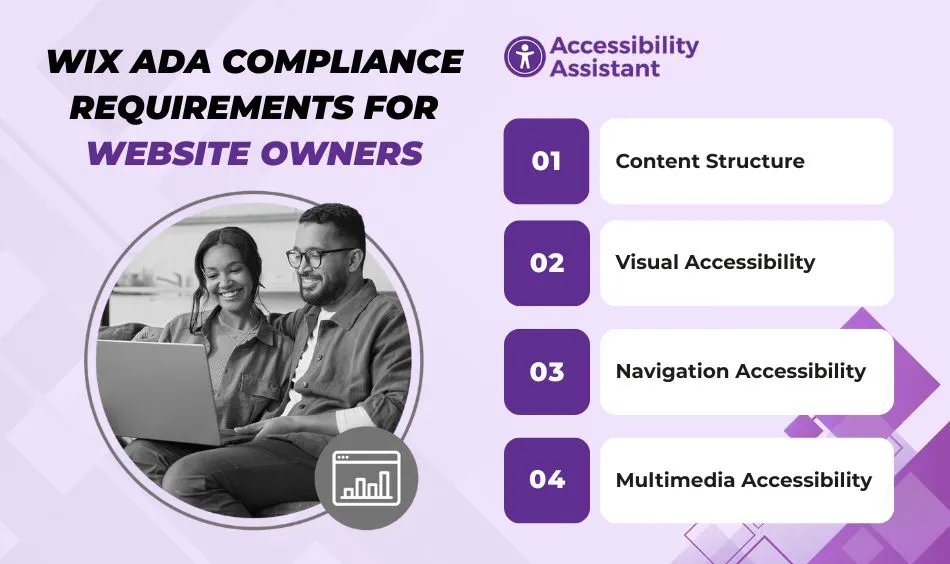
If you want your Wix website to support accessibility compliance, you must implement several best practices.
Content Structure
Pages should include:
- Clear headings
- Logical content order
- descriptive link text
This helps assistive technologies interpret the content correctly.
Visual Accessibility
Accessible design includes:
- High color contrast between text and background
- Readable font sizes
- Clear buttons and links
Low contrast is one of the most common accessibility failures.
Navigation Accessibility
Users should be able to navigate the website easily using both the mouse and the keyboard.
Navigation menus should be:
- Consistent
- Predictable
- Accessible via keyboard
Multimedia Accessibility
Videos and audio content should include:
- Captions for speech
- Transcripts for audio files
These alternatives allow users with hearing impairments to access multimedia content.
Common Accessibility Issues in Wix Websites
Even though Wix supports accessibility features, many Wix websites still contain accessibility barriers.
Low Color Contrast
Text that blends with background colors can make content difficult to read for users with low vision.
WCAG requires specific contrast ratios to improve readability.
Missing Alt Text
Images without alt text prevent screen reader users from understanding visual content.
Adding meaningful descriptions to images is essential.
Poor Heading Structure
Skipping heading levels or using headings only for styling can confuse screen readers.
Content should follow a logical hierarchy.
Inaccessible Forms
Forms must include:
- Clear labels
- Instructions
- Accessible error messages
Without these elements, users may struggle to complete actions such as registrations or purchases.
Third-Party Widgets
Many Wix websites use plugins or widgets that may not be designed with accessibility in mind.
These tools can introduce accessibility barriers if not tested properly.
Accessibility Features Available in Wix
Below are some of the key accessibility tools Wix provides.
| Feature | What It Does | Accessibility Benefit |
| Accessibility Wizard | Scans the website for accessibility issues | Helps identify common problems |
| Alt Text Editor | Allows image descriptions | Supports screen readers |
| Structured Headings | Supports H1–H6 hierarchy | Improves content navigation |
| Keyboard Navigation | Enables keyboard interaction | Helps users with motor impairments |
| Responsive Layout | Adapts to devices | Improves usability across screen sizes |
These features make Wix capable of supporting accessible websites when implemented properly.
How to Make a Wix Website More ADA Compliant
Improving accessibility involves both automated checks and manual testing.
Step 1: Run an Accessibility Scan
Start with accessibility testing tools to identify issues.
Tools include:
- Accessibility Assistant
- WAVE
- Axe DevTools
- Google Lighthouse
These tools help detect issues such as missing labels or contrast problems.
Step 2: Fix Color Contrast
Ensure text is readable by adjusting color combinations.
WCAG recommends minimum contrast ratios to improve visibility.
Step 3: Add Alt Text
Provide descriptive alt text for all meaningful images.
Decorative images should be marked appropriately.
Step 4: Test Keyboard Navigation
Navigate the website using only a keyboard.
Make sure all buttons, menus, and forms are accessible.
Step 5: Improve Forms
Forms should include:
- Clear labels
- Instructions
- Accessible error messages
This ensures users can complete forms without difficulty.
Step 6: Validate Multimedia Accessibility
Add captions to videos and transcripts to audio content.
These alternatives help users with hearing impairments access information.
If you want a practical walkthrough instead of just understanding the platform capabilities, read our detailed guide on how to make a Wix website ADA-compliant. It explains step-by-step implementation, WCAG best practices, and the accessibility settings you should configure inside Wix.
Tools to Test Wix Website Accessibility
Several tools help identify accessibility problems.
Popular tools include:
- Accessibility Assistant
- WAVE Web Accessibility Tool
- Axe DevTools
- Google Lighthouse
- Accessibility Insights
Using multiple tools provides a more complete accessibility evaluation.
Limitations of Wix for Accessibility
While Wix provides accessibility features, some limitations exist.
For example:
- Some third-party widgets may not be accessible
- Accessibility depends heavily on design choices
- Automated tools cannot detect every issue
Because of these factors, manual accessibility testing remains essential.
Best Practices for Maintaining Wix Accessibility
Accessibility should be treated as an ongoing process.
Best practices include:
- Running regular accessibility audits
- Training content teams on accessibility guidelines
- Testing new features before publishing
- Reviewing design changes for accessibility impact
Continuous monitoring helps prevent accessibility issues from reappearing.
Frequently Asked Questions About Wix ADA Compliance
- How can I ensure my Wix website is ADA-compliant?
To improve ADA compliance on a Wix website, follow WCAG accessibility guidelines. Start by using the Wix Accessibility Wizard to detect basic issues. Add descriptive alt text to images, maintain proper heading structure, ensure strong color contrast, and make sure all elements can be accessed using a keyboard. It is also important to test your site with accessibility tools and perform regular audits to identify new issues.
- Can Wix make my website ADA-compliant?
Wix provides accessibility tools and features that help improve website accessibility, but it does not automatically make a website ADA-compliant. Compliance depends on how the website is designed, structured, and maintained according to WCAG standards. Website owners must implement accessibility best practices and perform testing to ensure the site meets accessibility requirements.
- What is the downside of using Wix?
While Wix is easy to use, some limitations can affect accessibility and customization. Certain templates or third-party apps may not fully follow accessibility guidelines. Advanced customization options are also limited compared to fully custom-built websites. Because of this, website owners must carefully review accessibility settings and perform testing to avoid potential barriers.
- What websites are exempt from ADA compliance?
In general, government agencies, businesses open to the public, and organizations offering goods or services online are expected to provide accessible websites. However, small private organizations without a public-facing service or certain private clubs and religious organizations may not fall directly under ADA Title III requirements. Even when exemptions exist, improving accessibility is still recommended to support usability and inclusivity.
- Can you get sued for not having accessibility on your website?
Yes. Businesses can face legal complaints or lawsuits if their websites are not accessible to users with disabilities. Many ADA lawsuits involve issues such as poor color contrast, missing alt text, inaccessible forms, or a lack of keyboard navigation. Following WCAG guidelines and performing regular accessibility audits can help reduce legal risk and improve website usability.
Conclusion
Wix can support accessible websites when used correctly, but the platform alone does not guarantee ADA compliance. Website owners must follow accessibility best practices and implement WCAG guidelines to create inclusive digital experiences.
By using Wix accessibility features, performing regular accessibility audits, and testing with assistive technologies, businesses can significantly improve website accessibility and reduce compliance risks.
Accessibility benefits everyone. It improves usability, expands your audience, and supports a more inclusive internet for all users.