

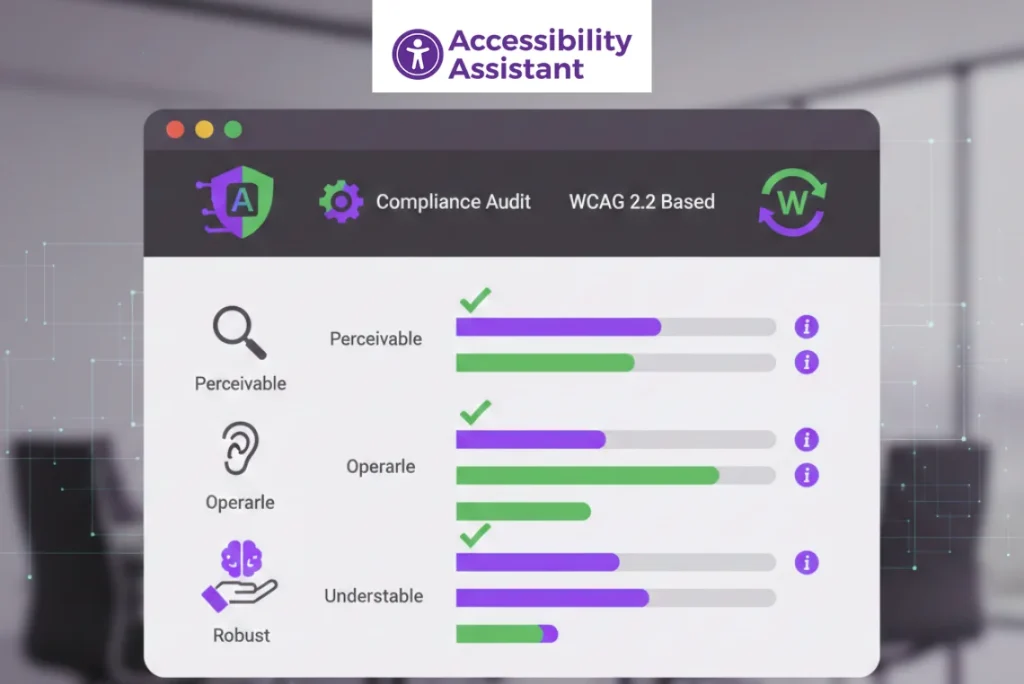
Digital accessibility is no longer optional. As enforcement of the Americans with Disabilities Act (ADA) continues to increase, businesses must ensure their websites are usable by people with disabilities. One of the most effective ways to achieve this is by following a structured ADA compliance checklist based on WCAG 2.2 standards.
This guide provides a practical, audit-ready ADA website compliance checklist that helps teams identify accessibility gaps, prepare for audits, and reduce legal and usability risks. It is designed for business owners, developers, designers, QA teams, and compliance professionals.
What Is an ADA Compliance Checklist?
An ADA compliance checklist is a structured list of accessibility requirements used to evaluate whether a website meets the accessibility expectations of the Americans with Disabilities Act. While the ADA does not define technical website rules, courts and accessibility professionals rely on WCAG (Web Content Accessibility Guidelines) as the technical framework.
An ADA checklist helps teams confirm that users with disabilities can:
- Read and understand content
- Navigate using a keyboard or assistive technology
- Complete forms and transactions
- Access media and documents
- Interact with dynamic components
Unlike generic accessibility lists, an ADA website accessibility checklist is focused on audit readiness and legal defensibility.
How WCAG 2.2 Supports ADA Website Compliance
Why WCAG Is Used for ADA Compliance
The ADA requires equal access, but it does not specify how websites must be built. WCAG fills this gap by providing testable, measurable accessibility success criteria. As a result, WCAG is widely referenced in ADA lawsuits, settlement agreements, and compliance audits.
WCAG 2.2 Levels Explained
WCAG has three conformance levels:
- Level A – Basic accessibility
- Level AA – Expected standard for ADA compliance
- Level AAA – Enhanced accessibility (not required for most sites)
Most ADA compliance audits reference WCAG 2.1 or WCAG 2.2 Level AA. WCAG 2.2 adds stronger guidance for focus visibility, target size, and interaction behaviour.
ADA Website Compliance Checklist: Pre-Audit Preparation

Before testing begins, teams should prepare by completing the following:
- Define audit scope (pages, templates, and user flows)
- Identify critical journeys (checkout, sign-up, contact, login)
- Review third-party integrations and embeds
- Confirm desktop and mobile coverage
- Collect previous audit reports or accessibility statements
This preparation ensures the checklist is applied consistently and thoroughly.
Text and Visual Accessibility Checklist
This section covers the most common ADA compliance failures.
Checklist items:
- Text meets minimum colour contrast ratios
- Large text and UI components meet contrast requirements
- Content does not rely on colour alone for meaning
- Text can resize without breaking the layout
- Fonts are readable across devices
- Dark mode contrast is verified
Low contrast is the most frequent failure in accessibility audits and should be prioritised early.
Images and Non-Text Content Checklist
Checklist items:
- Informative images include meaningful alt text
- Decorative images use empty alt attributes
- Icons have accessible labels or text alternatives
- Background images do not contain essential information
- CAPTCHA alternatives are provided
Alt text should describe purpose, not appearance.
Navigation and Structure Checklist
Proper structure is essential for screen reader users.
Checklist items:
- One H1 per page
- Logical heading hierarchy (H2 under H1, H3 under H2)
- Landmarks used correctly (header, main, footer, nav)
- Skip navigation links available
- Navigation remains consistent across pages
Keyboard Accessibility Checklist
Keyboard accessibility is a core ADA requirement.
Checklist items:
- All interactive elements are reachable via keyboard
- No keyboard traps exist
- Focus indicators are visible
- Focus order follows a logical sequence
- ESC key closes modals and dialogues
Failure here often leads directly to ADA complaints.
Forms and Input Accessibility Checklist
Forms frequently block users from completing tasks.
Checklist items:
- Labels are programmatically associated with inputs
- Required fields are clearly identified
- Error messages are descriptive and announced
- Instructions are not colour-dependent
- Autocomplete attributes are present
Accessible forms improve usability and conversion rates.
Interactive Components Checklist
Modern UI components require extra care.
Checklist items:
- Dropdowns work with keyboard input
- Accordions announce expanded and collapsed states
- Modals manage focus correctly
- Carousels can be paused and controlled
- ARIA roles are used only when necessary
Media and Multimedia Accessibility Checklist
Checklist items:
- Videos include accurate captions
- Audio content has transcripts
- Media controls are keyboard accessible
- Audio descriptions are provided when required
Missing captions are a common legal risk.
Dynamic Content and JavaScript Checklist
Dynamic updates must be announced to assistive technologies.
Checklist items:
- Screen readers are notified of content changes
- ARIA live regions are used correctly
- Error alerts are announced
- Single-page application navigation is accessible
Mobile Accessibility Checklist (WCAG 2.2 Focus)
Mobile accessibility is now essential.
Checklist items:
- Touch targets meet minimum size requirements
- Orientation changes are supported
- Zoom and scaling are enabled
- No gesture-only interactions exist
WCAG 2.2 strengthens expectations in this area.
Document and PDF Accessibility Checklist
Documents are often overlooked in ADA reviews.
Checklist items:
- PDFs are tagged correctly
- Logical reading order is maintained
- Headings are used within documents
- Images include alt text
- Download links are accessible
Automated and Manual Testing Checklist
Accessibility testing requires a hybrid approach.
Automated testing
- Accessibility Assistant
- Axe DevTools
- WAVE
- Lighthouse
Manual testing
- Keyboard navigation
- Screen readers (NVDA, VoiceOver)
- Zoom and reflow testing
Automation supports the checklist, but manual validation completes it.
To fully understand how ADA requirements translate into practical website testing, it’s important to see how WCAG standards are applied during real audits. Our guide on ADA compliance audit using WCAG standards explains the audit process step by step, including automated checks, manual WCAG evaluation, and assistive technology testing. It provides useful context for teams that want to move from checklist-based reviews to full compliance assessments.
ADA Compliance Checklist Summary Table
| Area | Priority | Audit Type |
| Keyboard access | High | Manual |
| Colour contrast | High | Automated + Manual |
| Forms | High | Manual |
| Media | Medium | Manual |
| Documents | Medium | Manual |
How to Use This ADA Compliance Checklist After an Audit
- Prioritise issues by severity
- Assign fixes to appropriate roles
- Retest after remediation
- Document compliance progress
- Update the accessibility statement
Accessibility is an ongoing process.
Common Mistakes When Using an ADA Compliance Checklist
Many organisations use an ADA checklist as a quick validation step, but misuse of the checklist often leads to repeated audit failures and compliance gaps. Below are the most common mistakes teams make, and why they matter more than ever under WCAG 2.2 and current ADA enforcement trends.
-
Treating the checklist as a one-time task
ADA compliance is not a “check once and forget” activity. Websites change constantly through content updates, design refreshes, new features, and third-party integrations. A checklist used only during launch quickly becomes outdated. Modern compliance requires recurring reviews, especially after major releases or UI changes.
-
Relying only on automated tools
Automated scanners are useful, but they typically detect only a fraction of real accessibility issues. They cannot accurately assess keyboard usability, screen reader experience, logical reading order, or content clarity. Current audit standards expect a combination of automated testing, manual WCAG review, and assistive technology testing.
-
Ignoring mobile accessibility requirements
Many ADA checklists are still applied only to desktop layouts. However, mobile accessibility failures, such as small touch targets, disabled zoom, or gesture-only interactions, are increasingly cited in audits. WCAG 2.2 places stronger emphasis on mobile usability, making mobile testing a required part of any checklist.
-
Skipping assistive technology testing
A checklist alone cannot replicate how real users interact with a website. Screen readers, keyboard navigation, and voice input tools reveal issues that are invisible in visual reviews. Audits that skip assistive technology testing often miss critical barriers and fail real-world ADA evaluations.
-
Not prioritising issues based on user impact
Another common mistake is treating all checklist items as equal. In practice, issues that block navigation or form completion carry far more risk than minor visual inconsistencies. Effective use of an ADA checklist includes prioritising fixes based on severity, user impact, and legal exposure.
Using an ADA compliance checklist correctly means applying it continuously, validating results with real user tools, and aligning it with evolving WCAG standards. This approach reduces repeat failures and supports long-term accessibility compliance.
Who Should Use an ADA Website Accessibility Checklist
- Business owners
- Developers
- Designers
- QA teams
- Compliance professionals
- Public sector organisations
Frequently Asked Questions About ADA Compliance Checklists
1. What is an ADA compliance checklist?
An ADA compliance checklist is a structured list of accessibility requirements used to evaluate whether a website provides equal access to users with disabilities.
2. Is WCAG required for ADA compliance?
WCAG is not written into the ADA, but it is widely used as the technical standard for ADA website compliance.
3. What WCAG level is required for ADA websites?
Most ADA compliance audits reference WCAG Level AA as the expected standard.
4. How often should I use an ADA checklist?
Websites should be reviewed quarterly and after major updates.
5. Can automated tools complete an ADA checklist?
No. Automated tools help, but manual and assistive-technology testing are required.
Conclusion
An ADA compliance checklist provides a clear, repeatable way to evaluate website accessibility and align with WCAG 2.2 standards. By following a structured checklist, teams can reduce legal risk, improve usability, and create more inclusive digital experiences.
Regular audits, continuous monitoring, and accessibility-first workflows are essential for long-term compliance.