

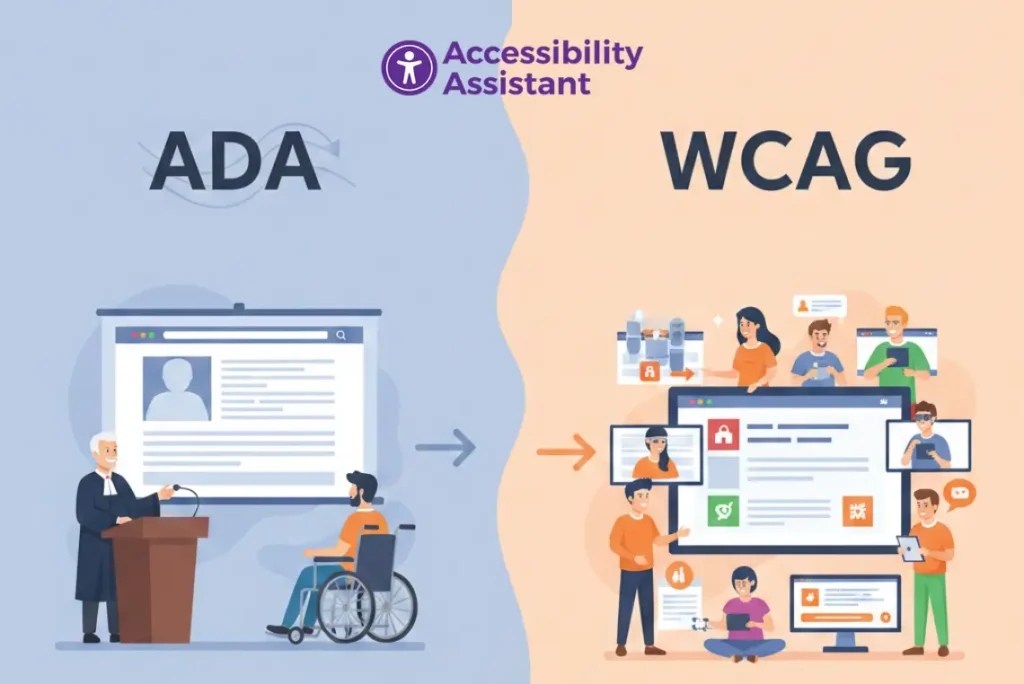
Understanding the difference between ADA vs WCAG is one of the most common challenges organisations face when building accessible digital products. Many teams assume ADA and WCAG mean the same thing, but they play very different roles. ADA is a civil rights law, while WCAG is a technical accessibility standard. Together, they form the foundation of modern website accessibility compliance.
This guide explains the distinction between ADA and WCAG, how they work together, what requirements businesses must meet, and how to ensure your website aligns with current accessibility standards.
Why ADA and WCAG Are Often Confused
The confusion is understandable. ADA governs accessibility in the United States, but it does not include technical instructions for websites. WCAG, however, provides the structure, checkpoints, and measurable requirements. When lawsuits or audits occur, both ADA expectations and WCAG guidelines become relevant.
Increasing lawsuits, updated WCAG 2.2 rules, and a growing need for inclusive digital experiences are driving more businesses to seek clarity. Understanding both ADA and WCAG will help organisations avoid compliance gaps, deliver better user experiences, and reduce legal risks.
What Is ADA? (Legal Framework Explained)
The Americans with Disabilities Act (ADA) is a U.S. civil rights law passed in 1990 to prohibit discrimination against individuals with disabilities. The law applies to physical locations, workplaces, transportation, and, through legal interpretation, websites and mobile apps.
ADA Titles Relevant to Websites
- Title II – State and local government websites
- Title III – Public accommodations (business websites)
Courts have repeatedly ruled that websites, whether e-commerce stores, SaaS platforms, healthcare portals, or education systems, must comply with ADA requirements.
Key points about ADA:
- ADA is a legal requirement
- ADA does not specify technical instructions
- Legal action can be taken when websites exclude users
- DOJ references WCAG in settlements and enforcement actions
- Applies to all industries
ADA tells businesses what they must provide: equal digital access.
For a deeper breakdown of ADA rules, review our full guide on Americans with Disabilities Act compliance. Read more
What Is WCAG? (Technical Accessibility Standards)

The Web Content Accessibility Guidelines (WCAG) are developed by the W3C (World Wide Web Consortium). WCAG provides the technical requirements, measurable criteria, and structured framework used to make websites accessible.
WCAG is based on four principles (POUR):
- Perceivable – Users can perceive content (text, colour, audio)
- Operable – Users can navigate and interact
- Understandable – Content is predictable and clear
- Robust – Works with assistive technologies
WCAG Versions
- WCAG 2.0 – Established core rules
- WCAG 2.1 – Added mobile and cognitive criteria
- WCAG 2.2 – Latest standard, stronger focus on usability
WCAG Levels
- A – Basic accessibility
- AA – Industry standard (required by most legal settlements)
- AAA – Highest level
WCAG tells businesses how to meet accessibility standards technically.
ADA vs WCAG: Core Differences Explained
Understanding ADA vs WCAG compliance is essential for accurate accessibility planning. Here is a clear breakdown:
1. Law vs. Technical Standard
- ADA = federal civil rights law
- WCAG = recommended technical guidelines
2. Enforcement vs. Implementation
- ADA can lead to lawsuits or DOJ investigations
- WCAG provides the formula for building accessible content
3. Scope
- ADA covers equal access
- WCAG covers coding, design, content, and interaction patterns
4. Testing
- ADA testing involves legal risk reviews
- WCAG testing involves automated scans, manual audits, and assistive technology testing
How ADA and WCAG Work Together for Website Compliance
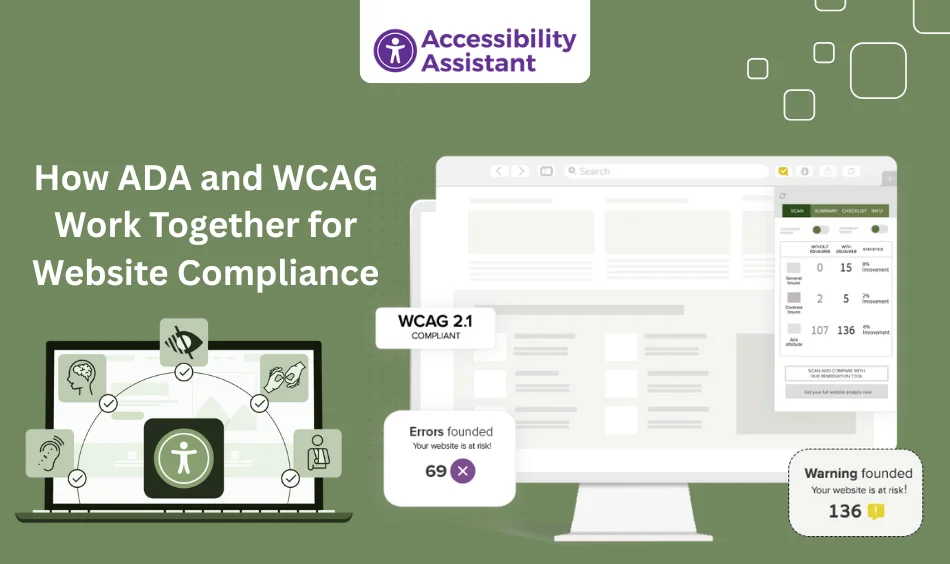
Even though ADA does not explicitly reference WCAG, courts consistently use WCAG AA as the standard when ruling on accessibility cases. DOJ agreements, settlements, and remediation requirements almost always include WCAG AA checkpoints.
Why WCAG is used for ADA compliance:
- ADA identifies access barriers
- WCAG defines how to remove those barriers
- WCAG AA is measurable and testable
- Legal experts rely on WCAG as the benchmark for accessibility
ADA + WCAG alignment ensures both legal and technical compliance.
ADA vs WCAG Requirements (Comparison Table)
| Requirement | ADA | WCAG |
| Legal status | Yes (federal law) | No (standard, not law) |
| Scope | Equal access | Technical web accessibility guidance |
| Enforcement | Lawsuits, DOJ, settlements | Industry requirement but not enforced by law |
| Technical rules | No | Yes (success criteria) |
| Applies to | Public-facing businesses, government | Websites, apps, digital content |
| Compliance level | Undefined | A, AA, AAA |
| Used in legal cases | Yes | Yes, for evaluating ADA compliance |
Do Websites Need ADA, WCAG, or Both?
Websites must follow both.
ADA requires equal access.
WCAG provides the technical method to achieve it.
If a website fails WCAG AA, it often fails ADA compliance.
Who needs ADA + WCAG alignment?
- E-commerce stores
- SaaS products
- Government agencies
- Universities
- Healthcare platforms
- Banks
- Enterprises
No industry is exempt.
Common ADA and WCAG Requirements Websites Must Meet
Understanding shared compliance expectations helps teams plan accessibility improvements.
Shared ADA + WCAG Requirements
- Strong colour contrast
- Text alternatives for images
- Clear headings and structure
- Keyboard navigation
- Focus indicators
- Accessible forms
- Meaningful link text
- Captions and transcripts
- Avoiding flashing content
WCAG-Specific Technical Details
- ARIA landmarks
- Semantic HTML
- Target size (WCAG 2.2)
- Focus on appearance requirements
- Pointer cancellation rules
- Dragging movement alternatives
Understanding these eliminates the confusion between ADA and WCAG standards.
WCAG 2.0 vs ADA Compliance: What’s Different?
Many organisations still reference WCAG 2.0, but WCAG 2.2 introduces important updates that ADA lawsuits increasingly adopt.
WCAG 2.0
- Core accessibility principles
- Does not address modern mobile issues
WCAG 2.1
- Touch accessibility
- Orientation
- Cognitive improvements
WCAG 2.2
- Redesigned focus requirements
- Larger touch targets
- Steps for preventing drag-only interactions
Which one aligns with ADA today?
WCAG 2.2 AA is the recommended standard.
Real ADA Lawsuits That Reference WCAG Failures
ADA lawsuits often cite specific WCAG failures:
Examples:
- Domino’s Pizza – An inaccessible ordering system
- Winn-Dixie – Screen reader issues in the pharmacy section
- University platforms – Missing captions on lectures
- Retail brands – Poor contrast and navigation barriers
- Banks – Inaccessible forms and authentication steps
Patterns show that WCAG failures directly contribute to ADA exposure.
How to Check ADA vs WCAG Compliance
To measure compliance properly, organisations must combine multiple testing methods.
1. Automated Scans
Tools like:
- Accessibility Assistant
- Axe DevTools
- WAVE
- Lighthouse
These catch quick WCAG errors but cover only 20–30% of issues.
2. Manual WCAG Testing
Checks:
- Focus order
- Heading logic
- Component behavior
- Keyboard-only navigation
3. Assistive Technology Testing
Use:
- NVDA
- JAWS
- VoiceOver
4. Legal ADA Risk Review
Evaluates:
- Exposure
- User complaints
- Industry-specific compliance expectations
A hybrid approach gives the most reliable results.
ADA Checklist vs WCAG Checklist: What’s the Difference?
ADA Checklist
- Legal obligations
- Equal access requirements
- User experience outcomes
WCAG Checklist
- Technical success criteria
- Code-level requirements
- Component behaviour requirements
Both checklists are necessary for full compliance.
What Happens If a Website Fails ADA or WCAG?
Consequences of non-compliance include:
Legal Risk
- Demand letters
- DOJ action
- Lawsuits
Business Impact
- Higher bounce rates
- Lost sales
- Poor SEO signals
- Accessibility gaps after new updates
Accessibility failures harm both compliance and user experience.
How to Achieve ADA + WCAG Compliance
Step 1. Run an Accessibility Audit
Use automated and manual testing methods.
Step 2. Prioritise WCAG 2.2 AA Fixes
Focus on areas affecting the most users.
Step 3. Test with Assistive Technologies
Validate actual usability.
Step 4. Review ADA Requirements for Your Industry
Understand exposure and legal obligations.
Step 5. Publish an Accessibility Statement
Shows responsibility and transparency.
Step 6. Monitor Accessibility Continuously
Updates can break compliance at any time.
For real-world examples of applying WCAG 2.2 rules, read our guide on colour contrast accessibility in projects. Read More
Frequently Asked Questions About ADA vs WCAG Compliance
Q1: Is ADA the same as WCAG?
No. ADA is a civil rights law that requires equal access to digital content. WCAG is a technical accessibility standard. Courts use WCAG AA as the benchmark for evaluating ADA compliance.
Q2: Do websites need to follow both ADA and WCAG?
Yes. ADA defines the legal requirement for accessibility, while WCAG provides the measurable success criteria used to meet and verify compliance.
Q3: Is WCAG 2.2 required for ADA compliance?
WCAG 2.2 is not written into ADA law, but it is the most current and widely adopted accessibility standard. Most settlements and legal agreements require WCAG 2.1 AA or WCAG 2.2 AA.
Q4: What happens if a website fails ADA or WCAG standards?
Non-compliance can result in lawsuits, demand letters, customer complaints, and usability problems. Failures also increase bounce rates and negatively impact user experience.
Q5: How do I check whether my website meets ADA and WCAG requirements?
You can use automated scans, manual WCAG testing, screen reader checks, keyboard navigation review, and full accessibility audits. Combining multiple methods gives the most accurate results.
Conclusion
Understanding the difference between ADA and WCAG is essential for building accessible, legally compliant, user-friendly digital experiences. ADA establishes the right to equal access, while WCAG provides the technical path to achieving it.
By aligning legal and technical requirements, using ADA for framework guidance and WCAG 2.2 AA for implementation, organisations can ensure their websites are inclusive, compliant, and prepared for evolving digital accessibility standards.